FlowAccount Accounting Application

Get FlowAccount - Manage Accounting and Track your business anywhere, anytime

Mobile and tablet app for accounting, POS, inventory management, and expense scanning via your phone camera, all in one app
FlowAccount Mobile App
App StoreGoogle PlayAppGallery
130KBusinesses
17KAccountant / Admin
5KAccounting Partner
FlowAccount Mobile App
FlowAccount Business Overview

FlowAccount Accounting App, Business Insights and Easy Documents, Anywhere

Capture every opportunity with instant quotations and accounting documents on the go. Access real-time business insights from any location.
View all Features for Business Owner
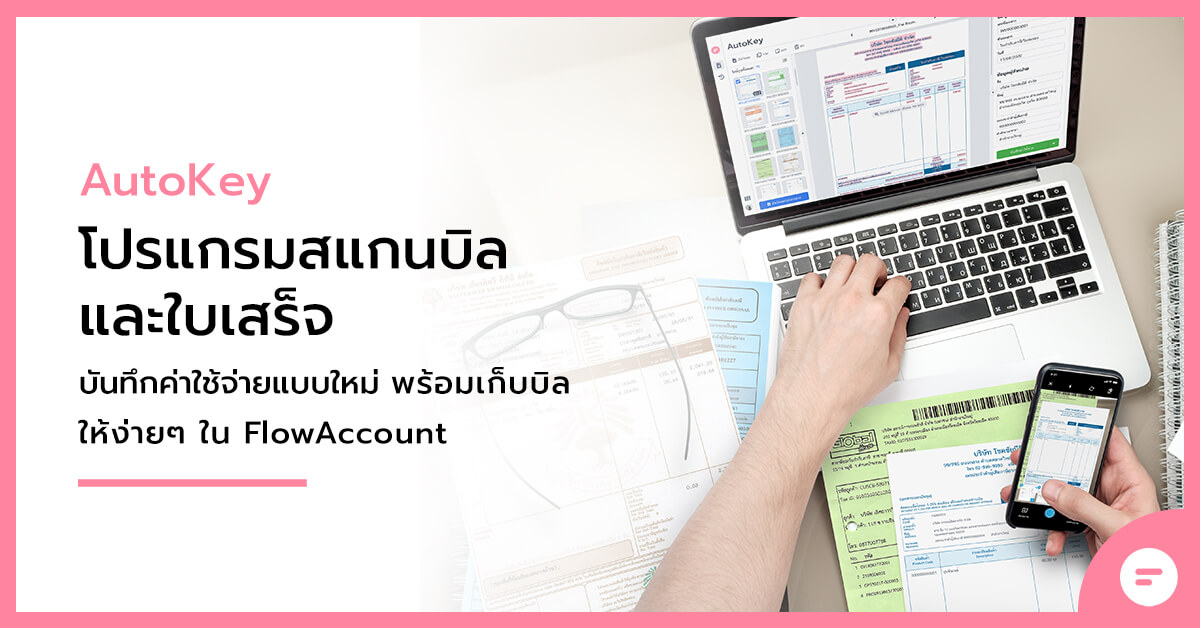
FlowAccount AutoKey Receipt Scanner

AI-OCR Receipt Scanning on Mobile and Tablet, Capture and Record Expenses with Precision

Simply use your phone or tablet camera to scan receipts and tax invoices. Open FlowAccount app, select AutoKey, take a photo, and upload. The system captures expense details for quick review before saving in just a few clicks.
AutoKey Receipt Scanner
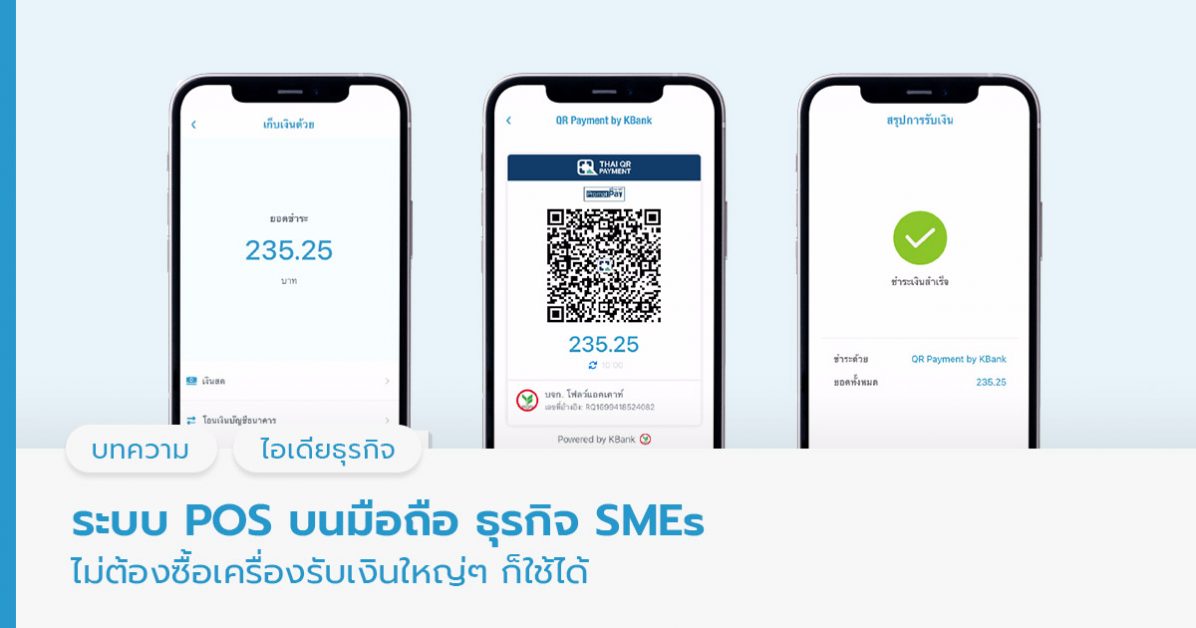
FlowAccount POS System

MobilePOS system by FlowAccount, No Extra Hardware. Start Selling Instantly on Existing Devices

In-app 'Cashier' menu is the complete POS system for retail stores. Record sales and manage inventory on your existing devices without hardware purchase needed.
MobilePOS by FlowAccount
FlowAccount Inventory Management

Track All Stock Movement in a Single App

Adjust inventory levels easily with FlowAccount app. Automatic inventory deduction, invoice generation, and movement tracking for every sale or purchase to maintain accurate inventory and accounting.
Inventory Management

Frequently Asked Questions

What is the FlowAccount application?

The FlowAccount app is a mobile online accounting program designed for small to medium-sized SME businesses, growing enterprises, and freelancers. It enables work from anywhere via smartphone or tablet, including:
  • Creating quotations / invoices / tax invoices
  • Opening bills, collecting payments, and issuing receipts
  • Recording expenses by taking photos of bills
  • Viewing reports and dashboard summaries of business health
All data syncs with the web-based system in real-time and automatically posts to the books, allowing business owners to conveniently and accurately track their operations.

If I already have the FlowAccount app, do I still need to use the FlowAccount online accounting system on a web browser?

It depends on the features you need
The FlowAccount mobile app is suitable for: business owners, freelancers, and sales staff
  • Creating purchase and sales documents
  • Recording expenses / issuing withholding tax certificates
  • Viewing basic reports
  • Basic user configuration

The web browser version is suitable for: accountants / in-depth work
  • Manual accounting entries
  • Full accounting reports
  • Tax reports
  • Advanced system configuration

Therefore, if you need full accounting functionality → we recommend using both the website and app
together However, if you're handling daily documentation and sales work → using just the app is sufficient

What devices can the FlowAccount app run on?

  • iPhone/iPad supporting iOS 15 or higher
  • Android devices supporting Android 7 or higher
  • Supports both smartphones and tablets

Are the features on the FlowAccount app different between iOS and Android? How so?

The functionality is identical. Both iOS and Android offer the same features, so you can choose based on whichever device you have.

What are the costs for the FlowAccount mobile app?

Package purchases cover the entire company account. Users can log in and use the system simultaneously on both the website and mobile app without any additional charges.
  • iOS or Android
  • Web
For more details on packages and pricing, click here.

Is there an additional cost for using the POS system on the FlowAccount app?

No additional cost — Mobile POS is included in all main packages. POS feature availability depends on the selected package:
  • Free Standard: Suitable for creating orders from start to finish
  • Standard: Ability to remove watermark on receipts
  • Pro: Access to advanced reports
  • Pro Business: Support for hold bill/order functionality

Learn more about the FlowAccount POS system by clicking here. For more feature details, click here.

What types of businesses are suitable for managing operations on the FlowAccount app?

Suitable for businesses that need an easy-to-use system with reasonable costs and low complexity, such as:
  • Service businesses
  • Buy-and-sell businesses
  • Retail stores with physical locations
  • Online stores / Live selling / Marketplace sellers
  • Online stores / Live selling / Marketplace sellers
  • Freelancers who need to issue documents and track expense receipts

The app helps you "work from anywhere" without needing to open a computer, making it ideal for business owners who frequently work off-site.

Additional conditions regarding FlowAccount app usage

  • The mobile app does not yet support creating/editing complex documents, but you can preview, share, send via email, change document status, etc. as normal. Examples of such documents include:
    • Credit Note / Debit Note
    • Billing statements / Combined receipts / Separate receipts
    • Deposit invoices
    • Expenses with multiple line items / accounting categories
    • Withholding tax certificates issued from expense documents
    • Documents using foreign currencies
    • Documents with end-of-bill adjustments (increases/decreases)
    • Sending e-Tax Invoices by TimeStamp

Get FlowAccount App Now

Accounting software for SME business owners to streamline operations and management. Go digital instantly by connecting FlowAccount with online solutions.
App StoreGoogle Play