





เชื่อม FlowAccount เข้ากับ Claude แล้วถามเรื่องบัญชีได้เป็นภาษาธรรมดา ไม่ต้องเปิดรายงานทีละหน้า FlowAccount Connector จะดึงข้อมูลการขาย ค่าใช้จ่าย บัญชี และสินค้าคงคลังแบบ Real-time มาให้ ถาม Claude ได้เลยว่า "เดือนที่แล้วกำไรเท่าไร" หรือ "สร้างใบแจ้งหนี้ให้บริษัท ABC" คอนเนกเตอร์อ่านข้อมูลและสร้างเอกสารได้ อ่านเพิ่มเติมที่ นโยบายความเป็นส่วนตัว
สิ่งที่ต้องมี
- บัญชี Claude ที่ใช้งานอยู่ (Claude.ai, Desktop, Mobile, Claude Code หรือ Cowork)
- แพ็กเกจ FlowAccount ที่ใช้งานอยู่ และมีบริษัทอย่างน้อย 1 บริษัท
- สิทธิ์เข้าถึงข้อมูลบัญชีของบริษัทนั้นใน FlowAccount และสิทธิ์ "สร้าง" หากต้องการให้ผู้ช่วยสร้างเอกสารให้
วิธีเชื่อม FlowAccount เข้ากับ Claude
เพิ่ม FlowAccount เป็นคอนเนกเตอร์แบบกำหนดเอง (custom connector) โดยใช้ URL ของ MCP server
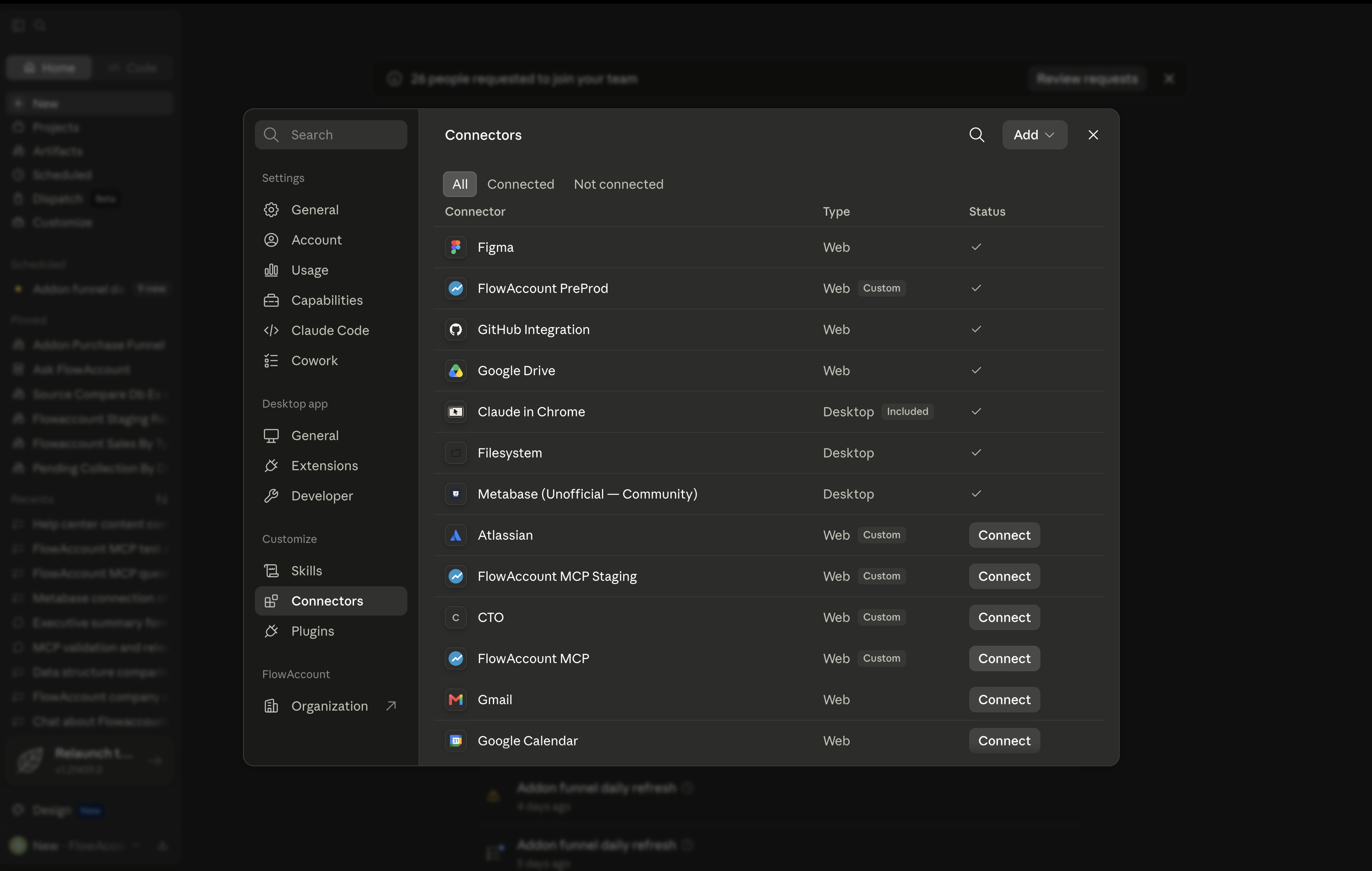
เปิด Claude.ai ไปที่ Settings > Connectors ที่แถบเมนูซ้าย
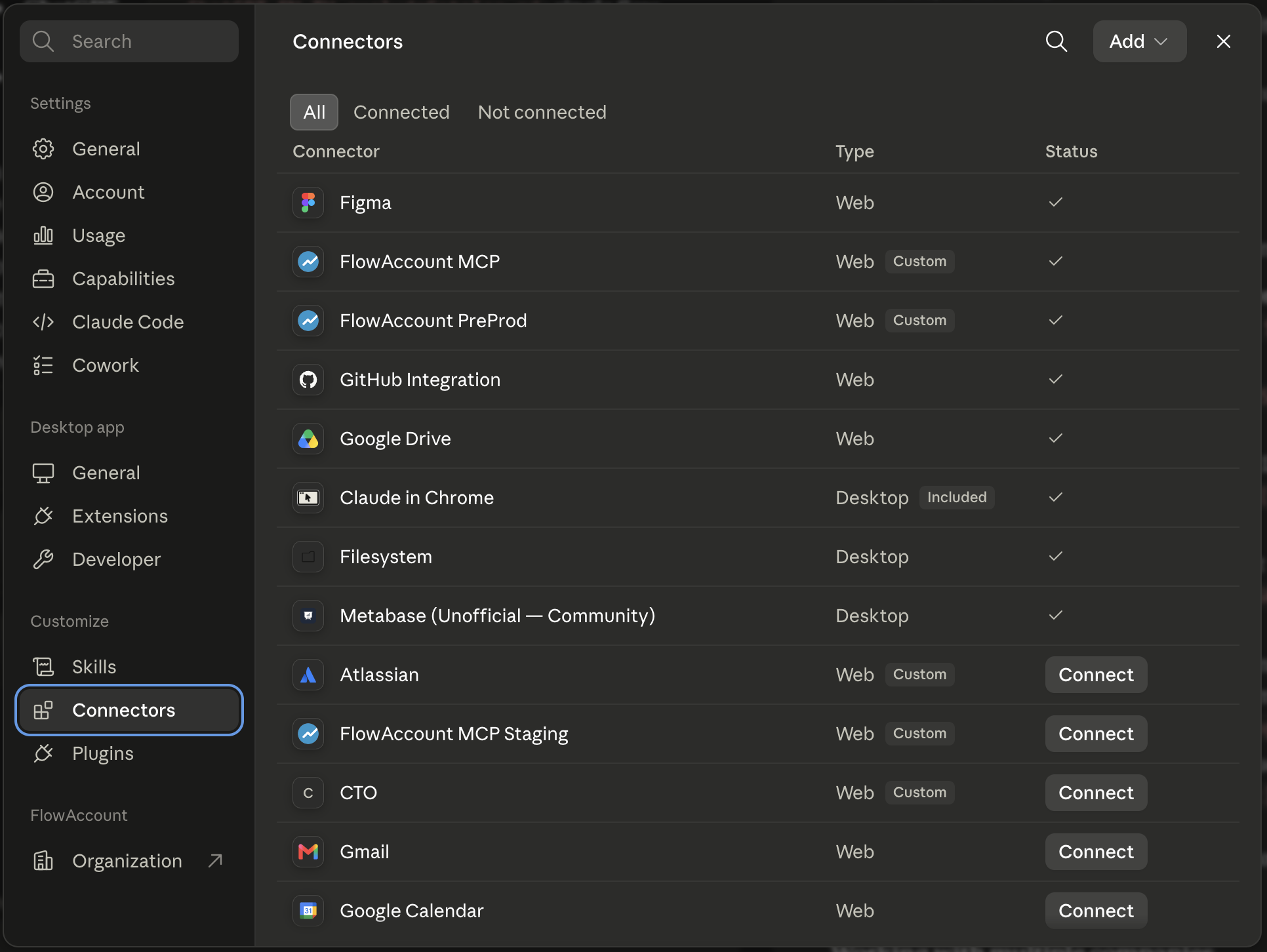
กด Add custom connector
ใส่ URL ของ FlowAccount MCP server:
https://mcp.flowaccount.com/mcp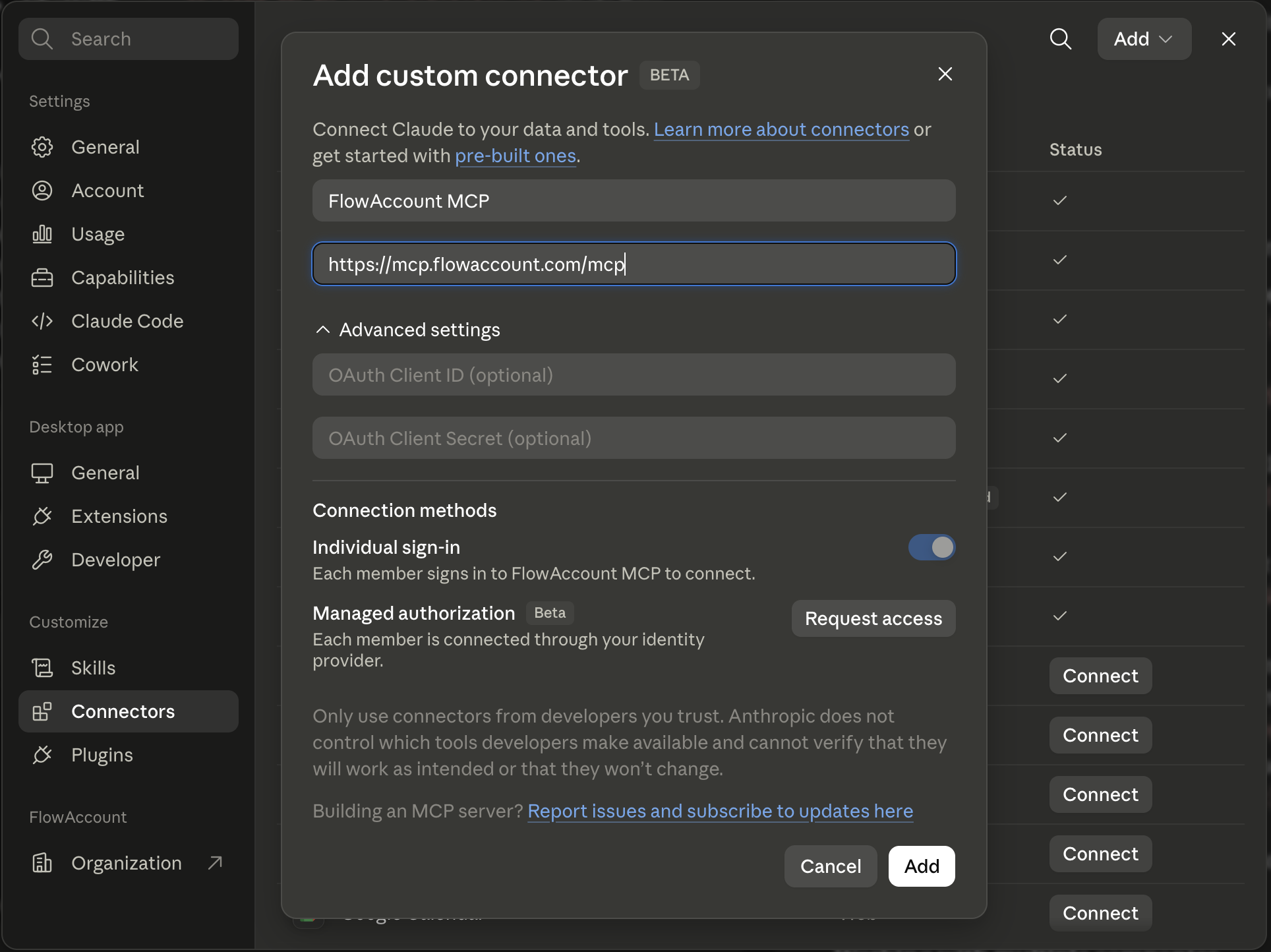
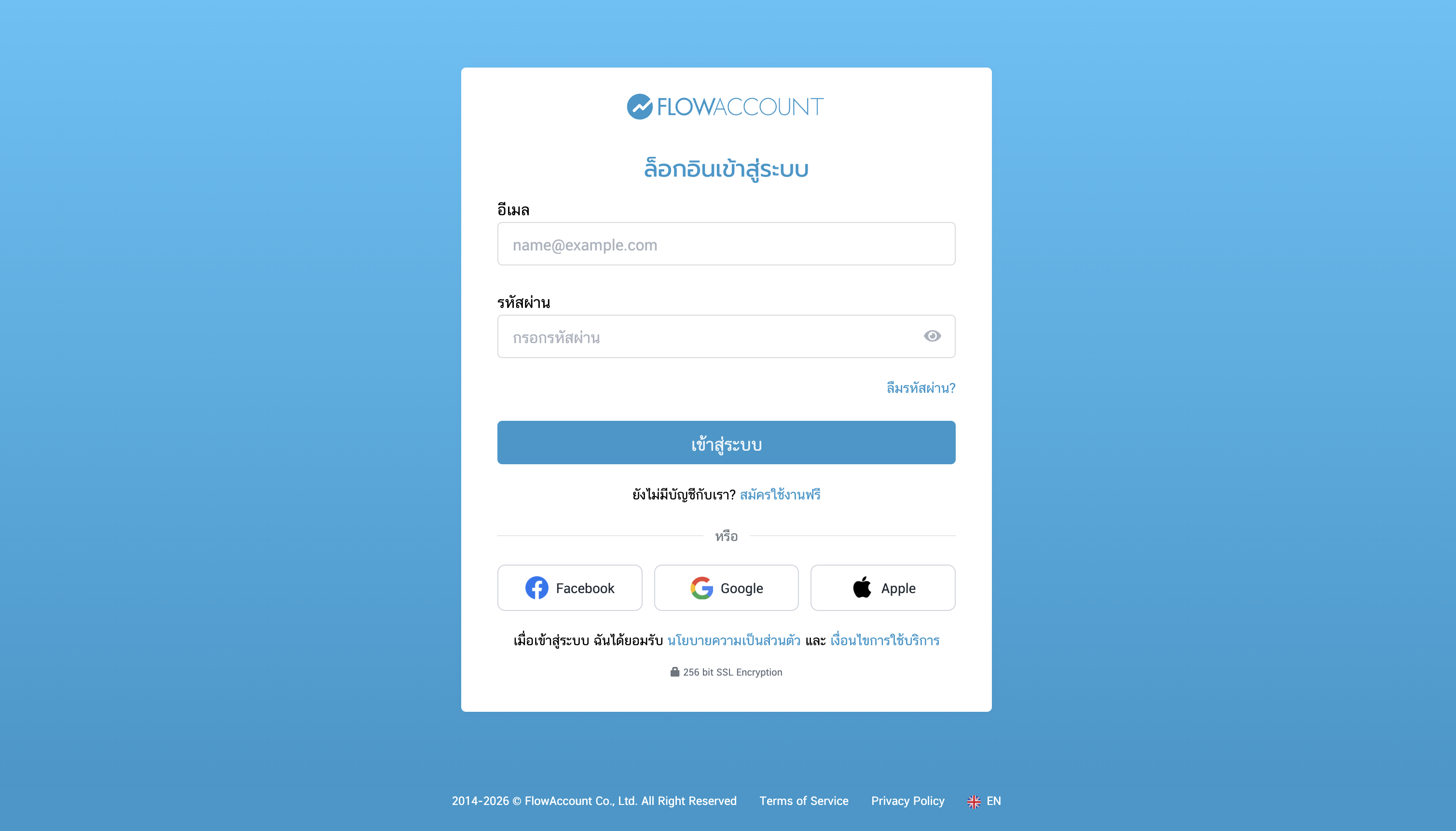
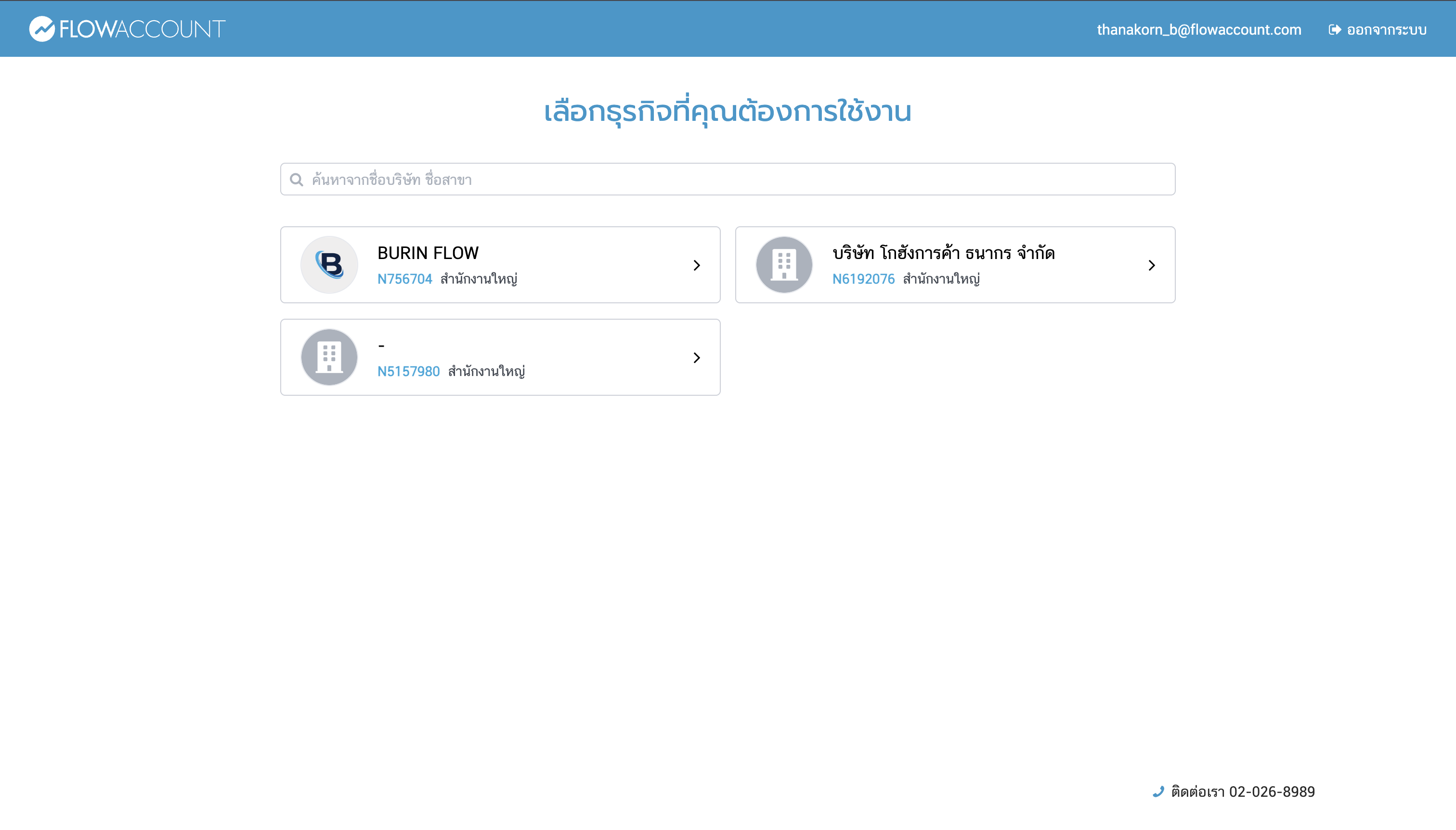
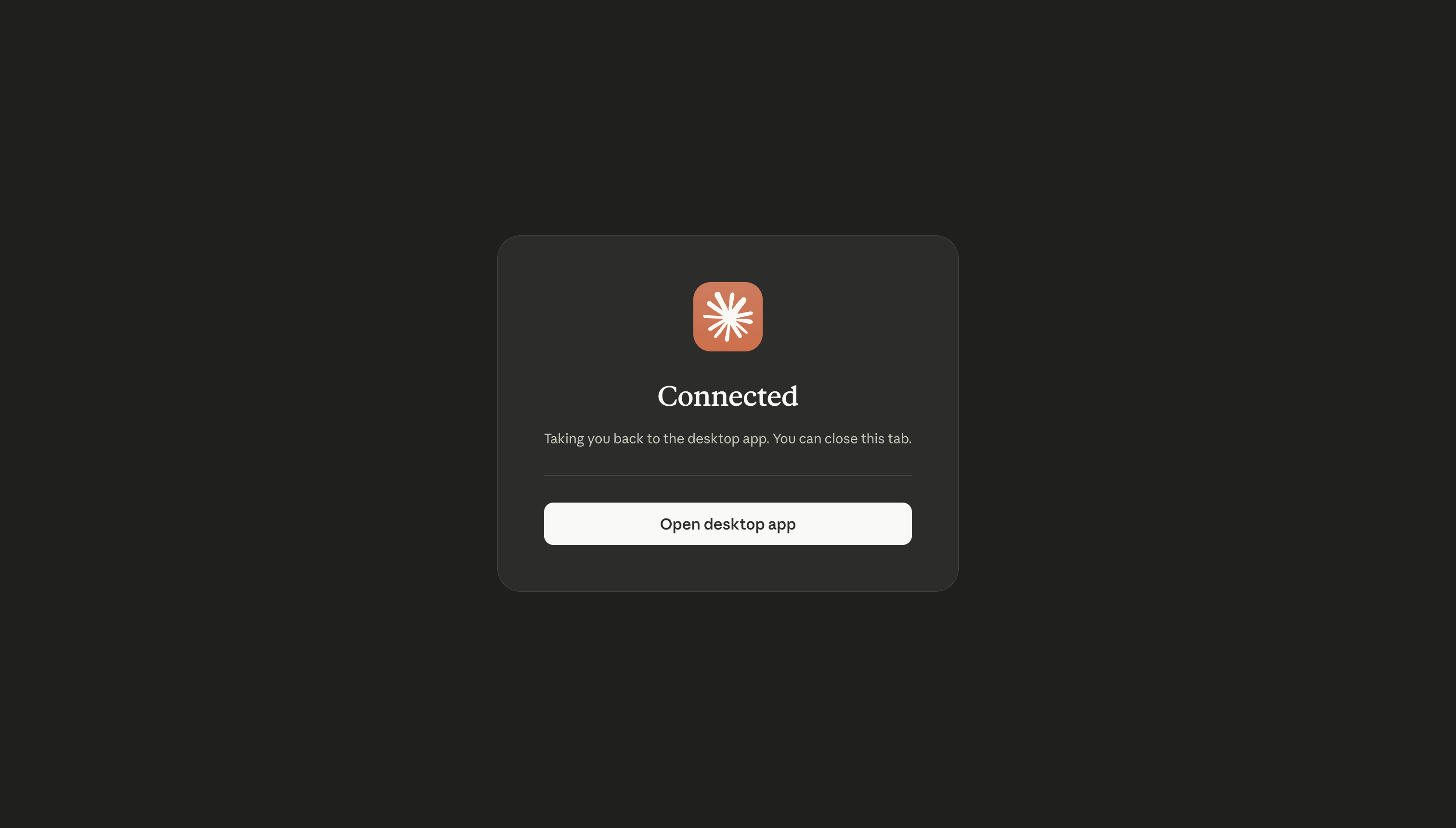
ล็อกอินด้วยบัญชี FlowAccount ตามที่ระบบถาม แล้วอนุญาตให้เข้าถึงข้อมูล (OAuth 2.0)
ถ้ามีสิทธิ์หลายบริษัท เลือกบริษัทที่อยากให้ Claude อ่านข้อมูลในหน้าเลือกบริษัท
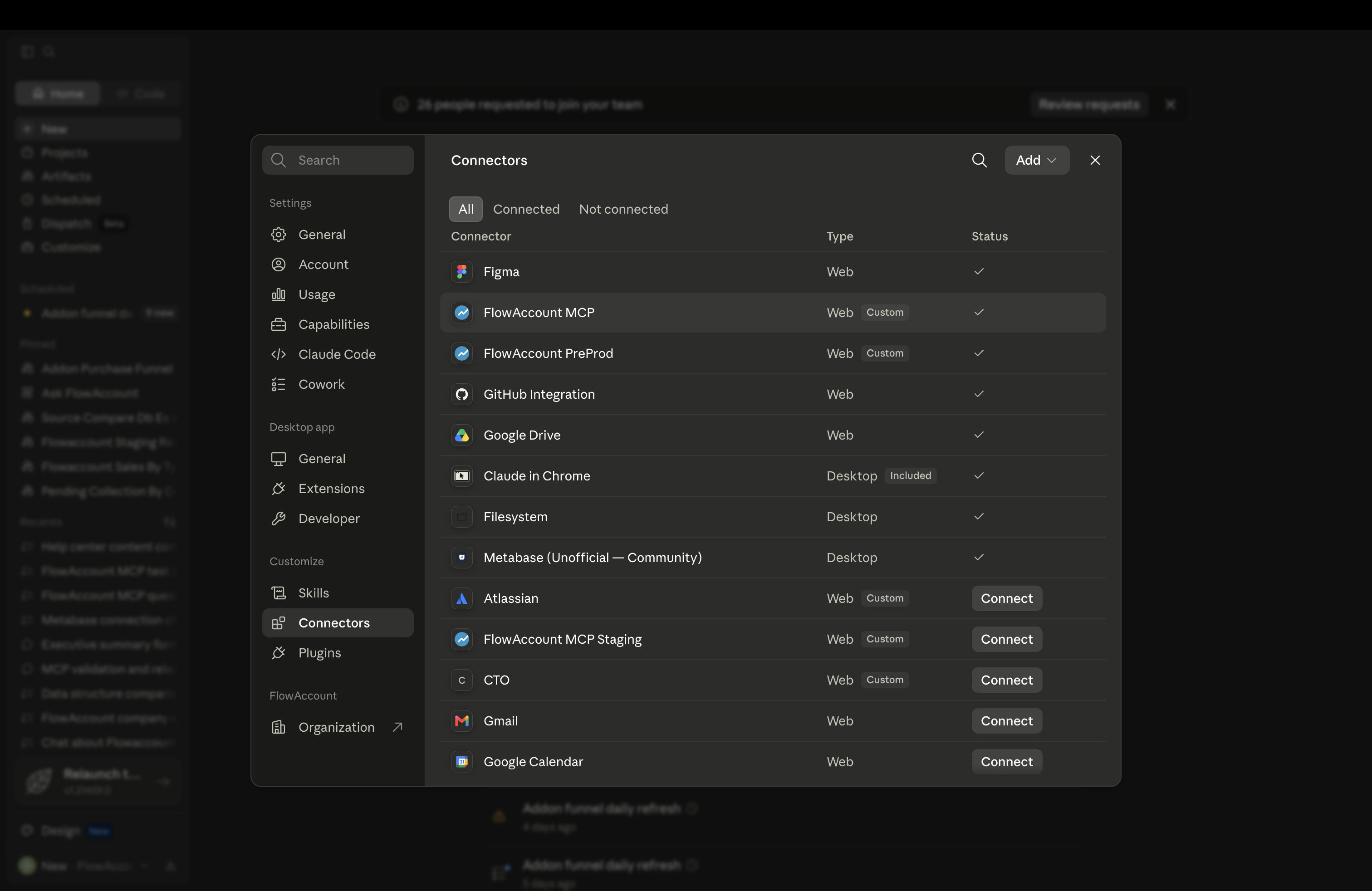
พอเชื่อมเสร็จ ถาม Claude เรื่องการเงินได้เลย
อยากเลิกเชื่อมเมื่อไรก็กลับไปที่ Settings > Connectors แล้วกด Disconnect
ถ้ามีหลายบริษัท
ทุกเครื่องมือจะผูกกับบริษัทเดียวที่เลือกไว้ตอนล็อกอิน ถ้าถามถึงอีกบริษัท Claude ก็จะบอกว่าไม่ตรงกัน แล้วตอบเฉพาะข้อมูลของบริษัทที่เชื่อมอยู่ อยากสลับบริษัทให้ Disconnect แล้ว Connect ใหม่ (การสลับบริษัทในเว็บ FlowAccount ไม่ได้เปลี่ยนบริษัทที่เชื่อมไว้ใน Claude)
ทำอะไรได้บ้าง
คอนเนกเตอร์ อ่านข้อมูลและสร้างเอกสารได้ แต่แก้ไขหรือลบรายการเดิมไม่ได้ การสร้างเอกสารต้องมีสิทธิ์ "สร้าง" ที่ตรงกันใน FlowAccount role ของคุณ และควรตรวจสอบเอกสารที่สร้างขึ้นใน FlowAccount อีกครั้ง ตัวอย่างคำสั่งที่ใช้ได้
- การขาย "เดือนนี้ขายไปเท่าไร" · "ขอดูใบเสนอราคา QU-2026-001" · "ใบแจ้งหนี้ไหนยังไม่จ่าย" · "สร้างใบกำกับภาษีให้บริษัท ABC" · "ออกใบเสร็จรับเงิน/ใบกำกับภาษี ยอด 5,000 บาท"
- ค่าใช้จ่ายและการซื้อ "เดือนที่แล้วจ่ายอะไรไปบ้าง" · "มีใบสั่งซื้อที่ยังเปิดอยู่ไหม" · "ค้างจ่ายซัพพลายเออร์เท่าไร" · "บันทึกค่าใช้จ่ายค่าอุปกรณ์สำนักงาน 1,500 บาท"
- บัญชีและรายงาน "ปีนี้กำไรขาดทุนเป็นยังไง" · "ขอดูงบดุลของเดือนที่แล้ว" · "ขอดูงบทดลองไตรมาสนี้" · "ลูกค้าค้างชำระเกินกำหนดเท่าไร" · "บันทึกใบสำคัญทั่วไป (JV) รายการ…"
- สินค้าคงคลัง "สินค้าตัวไหนใกล้หมดบ้าง" · "SKU-100 อยู่ในคลังหลักเท่าไร"
Claude ดึงข้อมูลจริงแบบ Real-time และสร้างเอกสารได้ตามที่คุณสั่ง ควรตรวจสอบเอกสารที่สร้างขึ้นใน FlowAccount อีกครั้ง และถ้าเป็นการตัดสินใจที่มีผลทางการเงิน ภาษี หรือกฎหมาย ให้ตรวจตัวเลขใน FlowAccount โดยตรงและปรึกษานักบัญชีที่เชี่ยวชาญอีกครั้ง
สำหรับนักบัญชีและสำนักงานบัญชี
หากคุณดูแลลูกค้าหลายราย คุณสามารถเชื่อมข้อมูลทีละบริษัทของลูกค้าแล้วถามเรื่องบัญชีเป็นภาษามนุษย์อย่างง่ายๆ ได้เลย ไม่ต้อง Export รายงานออกมา เหมาะตอนปิดบัญชีภาษีสิ้นเดือน เช็กงบทดลองหาความผิดปกติ ดูอายุลูกหนี้/เจ้าหนี้ หรือดึงงบกำไรขาดทุนก่อนปิดงบ หากต้องการสลับดูเป็นบัญชีอื่นให้ Disconnect แล้ว Connect ใหม่
อย่าลืมว่าต้องมีสิทธิ์เข้าถึงข้อมูลของลูกค้าแต่ละราย และเชื่อมเฉพาะบริษัทที่คุณดูแล และเนื่องจากคอนเนกเตอร์สร้างเอกสารได้แล้ว ควรตรวจสอบให้แน่ใจว่าเชื่อมต่อกับบริษัทที่ถูกต้องก่อนสั่งสร้างเอกสารในบัญชีของลูกค้า
ความเป็นส่วนตัวและการจัดการข้อมูล
คอนเนกเตอร์อ่านเฉพาะข้อมูลบัญชีที่จำเป็นต่อการตอบคำถาม ไม่เข้าถึง Memory ประวัติแชทของ Claude หรือไฟล์ในเครื่องคุณ ข้อมูลจะประมวลผลในสหรัฐอเมริกา (เป็นการโอนข้ามพรมแดนไปยัง Anthropic) ทั้งนี้ Anthropic ไม่นำเนื้อหาดิบที่ดึงผ่าน Connector/MCP ไปเทรนโมเดล ส่วนที่ว่าข้อมูลในบทสนทนาของคุณจะถูกนำไปใช้พัฒนาโมเดลหรือไม่นั้น ขึ้นอยู่กับแพ็กเกจ Claude ของคุณ โดยค่าเริ่มต้นของแพ็กเกจส่วนบุคคลกับแพ็กเกจธุรกิจจะต่างกัน และแพ็กเกจส่วนบุคคลสามารถปิดการใช้ข้อมูลเพื่อเทรนได้ในการตั้งค่าความเป็นส่วนตัว ตรวจสอบนโยบายล่าสุดตามแพ็กเกจของคุณได้ที่ ข้อมูลของฉันถูกนำไปเทรนโมเดลหรือไม่ FlowAccount ดูแลข้อมูลตามนโยบายความเป็นส่วนตัว และไม่ขายข้อมูลส่วนบุคคลของคุณ ติดต่อ support@flowaccount.com อ่าน นโยบายความเป็นส่วนตัว และข้อกำหนดการใช้งานฉบับเต็ม
แก้ปัญหาเบื้องต้น
- เชื่อมต่อไม่ได้ เช็กว่าล็อกอินด้วยผู้ใช้และบริษัท FlowAccount ที่ถูกต้อง ถ้ายังไม่ได้ ให้ Disconnect แล้ว Connect ใหม่จาก Settings > Connectors
- Claude ไม่ดึงข้อมูล เช็กว่าคอนเนกเตอร์ยัง Active อยู่ใน Settings > Connectors ถ้าขึ้นว่า Disconnected ให้ล็อกอินใหม่
- ตัวเลขดูไม่ถูกต้อง ให้ตรวจใน FlowAccount ก่อน ถ้าข้อมูลไม่ตรงให้ติดต่อ Support (LiveChat หรือ support@flowaccount.com หรือ 02-026-8989)
- คอนเนกเตอร์ทำสิ่งที่ถามไม่ได้ ปัจจุบัน Connector รองรับการอ่านข้อมูลและสร้างเอกสาร แต่ยังแก้ไขหรือลบรายการเดิมไม่ได้ และบางฟังก์ชันยังไม่เปิดให้ใช้ หากมี Use case ที่อยากให้ระบบทำได้เพิ่มเติมมากขึ้น สามารถแชร์ความเห็นได้กับเราโดยตรงผ่าน Live chat หรือ mcp_support@flowaccount.com
หมายเหตุ: ถ้าเชื่อมข้อมูลที่มีข้อมูลส่วนบุคคลของบุคคลที่สาม (เช่น ลูกค้าหรือพนักงานของลูกค้าคุณ) อ่านแนวทางการดูแลข้อมูลเหล่านี้ได้ที่ นโยบายความเป็นส่วนตัว และข้อกำหนดการใช้งานของ FlowAccount